Best ReShade Presets to Use with U1D GFX

U1D Team
April 29, 2026 · 4 min read
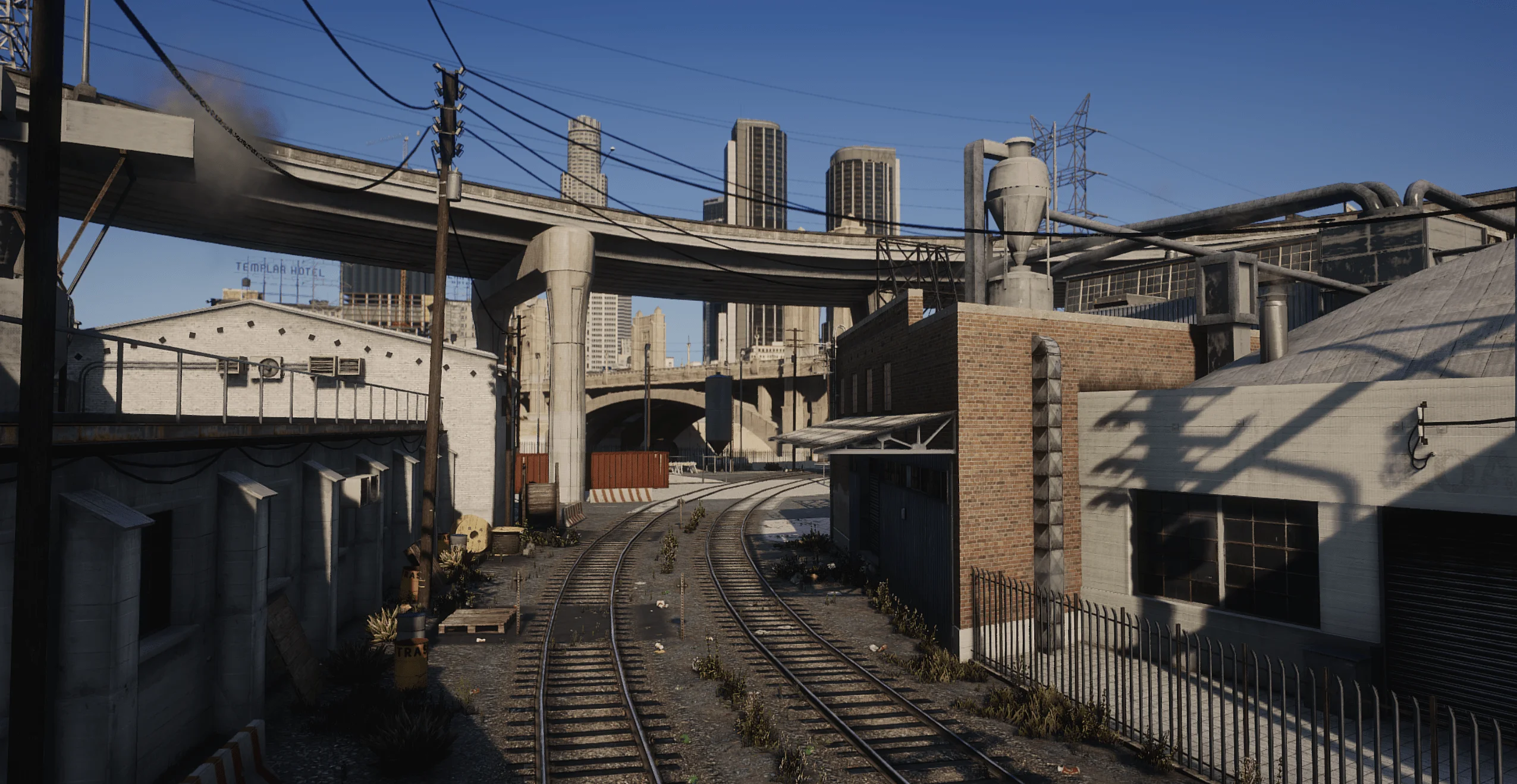
What Makes a Good ReShade Preset for U1D GFX
Before choosing a preset, it is important to understand what actually works well with U1D GFX.
Key Principles
- Enhance clarity, not overwhelm it
- Improve color balance, not oversaturate
- Add depth without heavy performance loss
- Keep lighting natural
A ReShade preset is simply a collection of shader settings saved into a configuration file, allowing you to apply visual changes instantly instead of manually tweaking each effect :contentReference[oaicite:0]{index=0}.
Best Types of ReShade Presets for U1D GFX
Rather than focusing only on specific names, the best approach is to understand the categories of presets that work best.
1. Realistic / Natural Presets (Best Overall)
Examples
- PD80-based presets
- Realistic L.A. presets
- Chromatix-style presets
Why They Work
These presets focus on:
- Accurate color grading
- Balanced contrast
- Natural lighting tones
They pair perfectly with U1D GFX because they do not fight against its lighting system. Instead, they refine it.
2. qUINT-Based Presets (Best for Depth and Detail)
Key Features
- Depth of field
- Ambient occlusion (MXAO)
- Subtle bloom and sharpening
qUINT shaders are widely used in modern presets because they add professional-level effects like depth and realism :contentReference[oaicite:1]{index=1}.
Why They Work With U1D GFX
- Enhance environmental depth
- Improve object separation
- Add cinematic quality without heavy filters
Best used in moderation to avoid FPS drops.
3. Cinematic Presets (Best for Screenshots)
Examples
- Nyclix-style cinematic presets
- Film-inspired presets
Features
- Film grain
- High contrast
- Desaturated tones
These presets are excellent for screenshots and videos, but should be used carefully during gameplay.
When to Use
- Content creation
- Cinematic shots
- Showcase videos
4. Lightweight Performance Presets (Best for FPS)
Examples
- TechEngage-style presets
- Minimal shader presets
Common Shaders Used
- LumaSharpen
- Vibrance
- Tonemap
- Clarity
These presets focus on improving visuals with minimal performance impact, often using only a few shaders :contentReference[oaicite:2]{index=2}.
Why They Work
- Minimal FPS loss
- Cleaner visuals
- Perfect for roleplay servers
5. RTGI / Ray-Tracing Style Presets (High-End Only)
Features
- Ray-traced lighting effects
- Advanced shadows and reflections
RTGI-based presets simulate ray tracing and can dramatically improve lighting realism, but they are very demanding :contentReference[oaicite:3]{index=3}.
When to Use
- High-end GPUs only
- Cinematics or photography
- Not recommended for everyday gameplay
Example: Balanced U1D GFX + ReShade Setup
A well-balanced setup might include:
- qUINT MXAO (low settings)
- LumaSharpen
- Colourfulness (low intensity)
- FilmicPass (slight contrast)
Modern presets often combine these shaders to create either photorealistic or atmospheric profiles depending on performance needs :contentReference[oaicite:4]{index=4}.
What to Avoid When Using ReShade with u1dgfx
Many presets can actually make U1D GFX look worse.
Avoid:
- Over-saturated color filters
- Excessive bloom
- Heavy depth of field during gameplay
- Stacking too many shaders
The goal is enhancement, not replacement.
Performance Tips
To keep your FPS stable:
- Enable ReShade performance mode after setup
- Avoid stacking multiple heavy shaders
- Use lower RTGI settings if enabled
- Test presets in different environments (day, night, rain)
Even small tweaks can significantly impact performance.
How U1D GFX + ReShade Changes the Game
When done correctly, combining U1D GFX with the right ReShade preset can:
- Add sharper detail without noise
- Improve realism without artificial effects
- Enhance lighting depth and contrast
- Make FiveM feel more modern and cinematic
The key difference is that U1D GFX handles the heavy lifting, while ReShade adds the finishing touches.
Best Overall Recommendation
If you want the best experience:
- Use U1D GFX Remastered Full
- Pair with a lightweight or realistic ReShade preset
- Add qUINT shaders carefully
- Avoid over-editing visuals
This combination delivers the best balance of realism, performance, and visual clarity.