FiveM Graphic Modification Library

U1D Team
April 17, 2026 · 8 min read
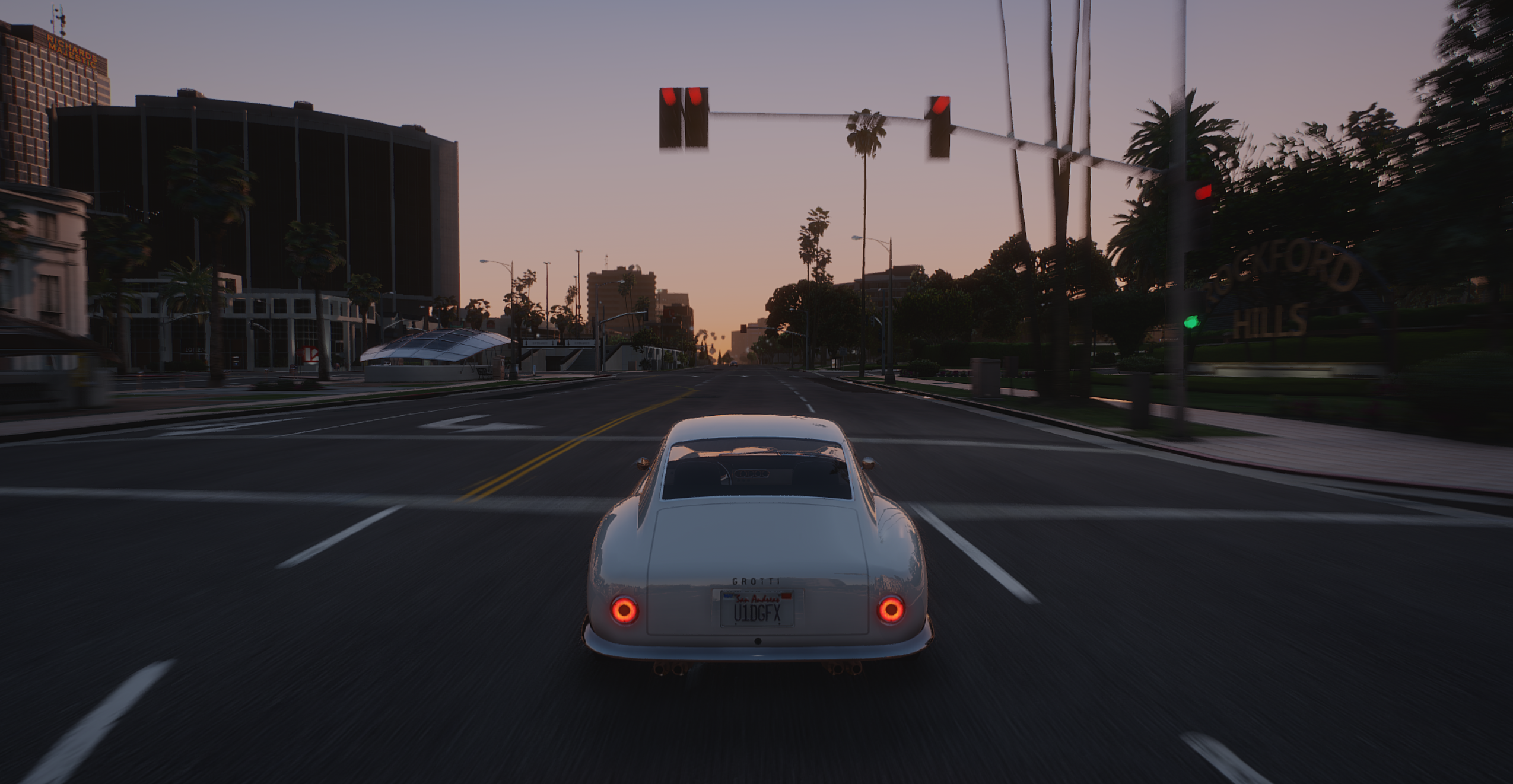
FiveM Graphic Modification Library (U1D GFX) Complete Guide: Installation, Addons, Features, and Optimization (2026 Authority Breakdown)
Introduction
The U1D GFX Graphic Modification Library for FiveM is one of the most widely recognized visual enhancement systems designed for GTA V roleplay servers. It focuses on improving the game’s overall visual fidelity through upgraded lighting, weather systems, environmental textures, and cinematic rendering enhancements.
Unlike traditional single-package graphics mods, U1D GFX is built as a modular library system, meaning users can install only what they need. This makes it suitable for both high-performance competitive RP servers and cinematic gameplay setups.
This guide provides a complete, structured breakdown of:
- What U1D GFX is and how it works
- Full library and addon breakdown
- Optional features and customization modules
- Membership tiers and content structure
- Step-by-step installation instructions
- Optimization and performance considerations
- Best practices for FiveM server compatibility
What is U1D GFX for FiveM?
U1D GFX is a graphics enhancement ecosystem designed specifically for FiveM, the multiplayer modification framework for GTA V.
Its purpose is to replace or enhance core visual systems in the game, including:
- Timecycle rendering (lighting behavior)
- Weather transitions and sky colors
- Environmental textures (roads, vegetation, buildings)
- Night lighting systems
- Atmospheric effects and reflections
The key difference between U1D GFX and standard graphics mods is its modular architecture, allowing users to install only selected visual upgrades rather than forcing a full overhaul.
This design makes it suitable for:
- Roleplay servers (realism-focused visuals)
- Cinematic servers (film-quality rendering)
- Performance servers (lightweight configuration options)
- Streamers and content creators
Why U1D GFX is Popular in FiveM Communities
The popularity of U1D GFX comes from its balance between visual quality and performance efficiency.
Most graphics mods fall into one of two categories:
- High quality but heavy performance cost
- Lightweight but visually limited
U1D GFX attempts to bridge this gap by offering:
- Scalable visual settings
- Optional addons for customization
- Optimized shader configurations
- Server-friendly compatibility options
- Regular updates and refinements
This makes it especially appealing for FiveM servers that need consistent FPS across multiple players while still maintaining a visually appealing world.
U1D GFX Library Structure Overview
The U1D GFX library is structured into multiple categories of visual enhancements. Each category targets a different part of the GTA V environment.
Core Categories Include:
- Environmental Overhauls
- Terrain and Road Improvements
- Sky and Weather Systems
- Lighting Enhancements
- Vegetation and Nature Upgrades
- Object and Prop Texture Improvements
- Seasonal and Thematic Packs
Each module can be installed independently or combined for a full visual overhaul.
Full U1D GFX Addon Library Breakdown
Below is a structured breakdown of commonly included U1D GFX library components.
Environmental Overhauls
These focus on large-scale world improvements:
- Sandy Shores Vegetation Overhaul
- Beach Environment Enhancement Pack
- Gas Station Visual Overhaul
- Billboard Upscale Texture Pack
These upgrades improve realism in key world areas without changing gameplay mechanics.
Terrain and Road Enhancements
Road and terrain mods significantly impact immersion because they are constantly visible during gameplay.
Common addons include:
- Road Texture Overhaul
- Snow Road Enhancement Pack
- Frozen Lakes Surface Improvement Pack
These improve:
- Asphalt resolution
- Surface reflection detail
- Snow and ice realism
- Road wear and detail variation
Vegetation and Nature Systems
Vegetation upgrades are among the most visually noticeable improvements in the library.
Included packs often feature:
- Cherry Blossom Tree Pack
- Autumn Tree Pack
- Vegetation Reflection Enhancement System
These modules improve:
- Tree models and textures
- Seasonal variation support
- Wind and movement realism
- Light interaction with foliage
Sky, Weather, and Atmospheric Systems
Weather systems are a core part of GTA V immersion. U1D GFX enhances:
- Sky color grading
- Cloud density and movement
- Sunset and sunrise transitions
- Fog density and atmospheric scattering
Specialized modules include:
- Galaxy Starfield Night Sky Pack
- Naturalistic Sunset System
- Subtropical Sunset System
These systems modify how light behaves during in-game time transitions, particularly:
- Early morning (05:00–06:00)
- Evening sunset (20:00–21:00)
Lighting and Night Systems
Lighting is one of the most important aspects of visual realism in FiveM.
U1D GFX includes:
- White Street Lights Enhancement Pack
- Darker Nights System
- Improved light bloom control
These affect:
- Streetlight color temperature
- Night brightness levels
- Urban lighting realism
- Contrast balance during nighttime gameplay
Special Effect Enhancements
Some modules focus on gameplay visuals such as combat effects:
- Weapon Muzzle Flash Enhancement
- Smoke and Particle Effect Improvements
- Impact Visual Overhaul
These upgrades improve:
- Shooting immersion
- Explosion visuals
- Environmental particle interaction
Optional Addons and Modular System
One of the most important features of U1D GFX is its optional addon system.
This system allows users to:
- Install only performance-friendly modules
- Disable high-intensity visual effects
- Customize seasonal environments
- Mix and match visual styles
Examples of Optional Modules
- Road Overhaul (optional high-detail textures)
- Lighting Enhancement Pack
- Weather Overhaul Modules
- Weapon Effect Enhancements
- Seasonal Environment Packs
Why Optional Addons Matter
Optional addons are critical because they allow:
- Server performance control
- Client-side customization
- Reduced VRAM usage
- Better FPS stability on lower-end PCs
This flexibility is one of the main reasons U1D GFX is widely used in FiveM server ecosystems.
U1D GFX Membership Tiers Explained
U1D GFX is typically distributed through a tiered access model.
Tier 1: Base Remastered
This tier includes:
- Core graphics enhancement system
- Basic environmental improvements
- No optional addon access
- Stable performance-focused configuration
It is designed for users who want improvements without complexity.
Tier 2: Full Remastered
This is the most commonly used version.
Includes:
- Full base graphics system
- Access to all optional addons
- Monthly updates and improvements
- Full customization control
This tier is ideal for:
- Roleplay servers
- Streamers
- Content creators
- High-end PC users
Tier 3: Early Access Build
This tier includes:
- Experimental features
- Pre-release updates
- Beta visual systems
- Advanced configuration options
It is intended for users who want the latest updates before public release.
How to Install U1D GFX for FiveM (Full Step-by-Step Guide)
Step 1: Download the Files
After gaining access:
- Log into your U1D GFX account
- Download the base graphics package
- Download optional addons if included
Make sure to extract all files before installation.
Step 2: Locate FiveM Directory
Open the FiveM installation folder:
%localappdata%\FiveM\FiveM.app\citizen\common\data
This directory contains core rendering and visual configuration files.
Step 3: Install Base Graphics Pack
Copy base files into the correct directories:
- timecycle files
- visualsettings.dat
- weather configurations
- shader and lighting parameters
When prompted, overwrite existing files.
Step 4: Install Optional Addons
Each addon must be installed separately:
- Open addon folder
- Identify correct target directory
- Drag and drop files
- Confirm file replacement if necessary
Important rule:
Only install one version per category (for example, one sunset system at a time).
Step 5: Launch FiveM
After installation:
- Start FiveM
- Join a server
- Verify changes in lighting, textures, and weather
Performance Optimization Guide
U1D GFX is designed with performance scaling in mind.
Optimization Features Include:
- Reduced shader complexity options
- Configurable visual intensity settings
- Optional addon disabling
- Lightweight texture alternatives
Performance Tips:
- Disable unnecessary seasonal packs if not needed
- Avoid stacking multiple lighting systems
- Use base pack only for low-end PCs
- Keep weather mods consistent across server clients
Compatibility with FiveM Servers
U1D GFX is commonly used on:
- Roleplay servers
- Cinematic servers
- Freeroam servers
However, server owners should ensure:
- Visual consistency across clients
- No conflicting weather scripts
- Proper resource loading order
- Testing across multiple hardware configurations
Advantages of U1D GFX
Key benefits include:
- Modular installation system
- High-quality visual upgrades
- Performance scalability
- Frequent updates
- Wide compatibility with FiveM servers
Potential Limitations
While powerful, U1D GFX may require:
- Manual installation steps
- Configuration for optimal performance
- Avoiding addon conflicts
- Hardware capable of handling enhanced visuals
The U1D GFX Graphic Modification Library for FiveM is one of the most comprehensive visual enhancement systems available for GTA V multiplayer environments.
Its combination of:
- Modular design
- Optional addons
- Lighting and weather systems
- Performance optimization
makes it a strong choice for both casual players and serious roleplay servers.
When properly installed and configured, it can transform FiveM into a significantly more immersive and cinematic experience without requiring full engine modification or excessive performance loss.