GTA V Realism Mods for Low-End PC: Best High FPS Graphics (2026)

U1D Team
April 17, 2026 · 5 min read
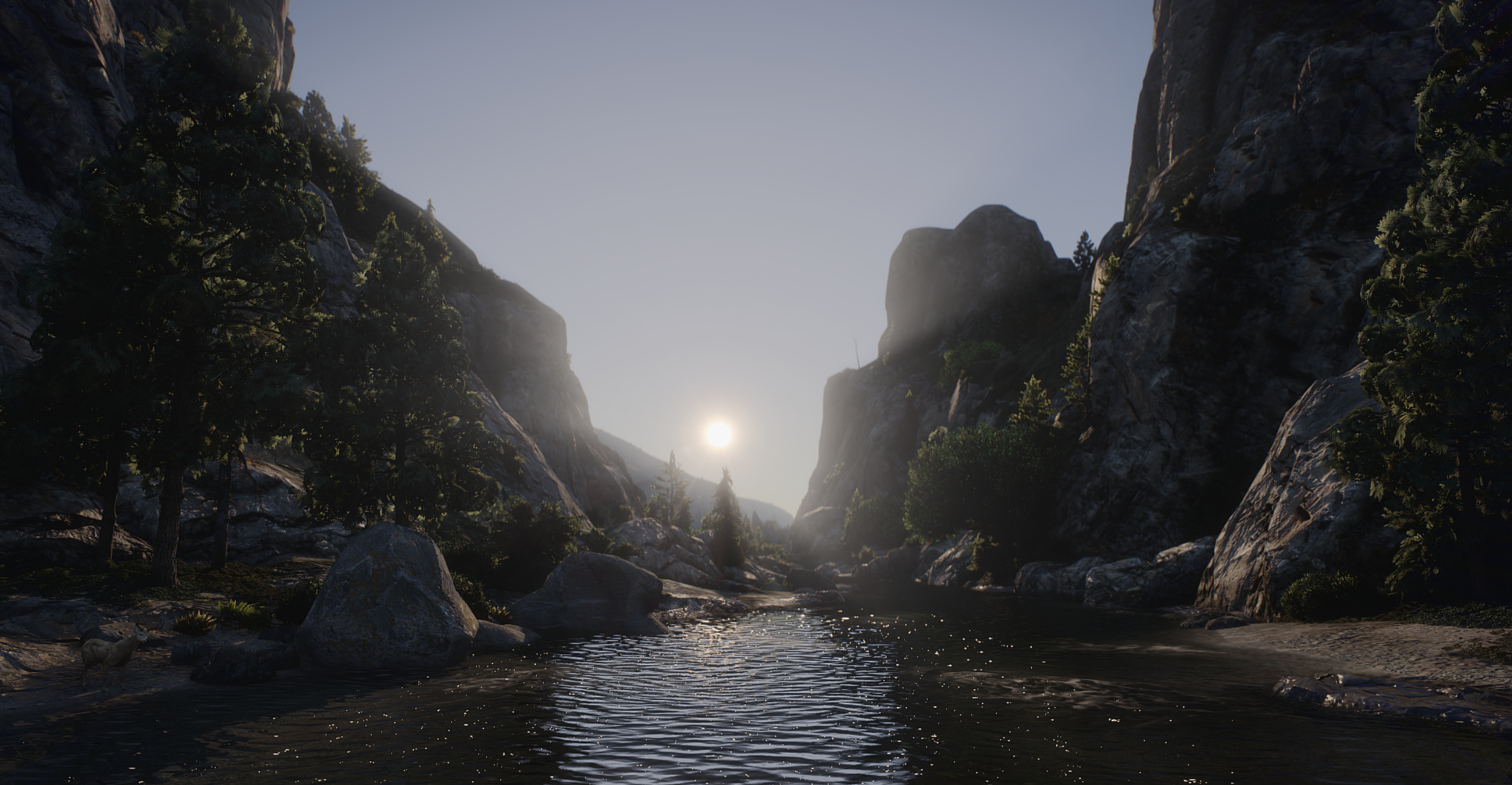
GTA V Realism Mods for Low-End PC: Best High FPS Graphics (2026) – U1D GFX Guide
Introduction
Grand Theft Auto V remains one of the most heavily modded open-world games in 2026. However, achieving realistic graphics on low-end PCs is difficult due to performance limitations.
Most graphics mods increase GPU load significantly, causing FPS drops and instability. U1D GFX solves this by offering a performance-first realism system designed for smooth gameplay on low-end hardware.
This guide explains how to install and optimize GTA V realism mods using U1D GFX, including addons, settings, and performance tuning.
Why Most GTA V Graphics Mods Fail on Low-End PCs
Most realism mods push hardware beyond its limits by increasing:
- Texture resolution
- Shadow quality
- Reflection detail
- Draw distance
- Post-processing effects
Common Issues
- FPS drops in cities
- Stuttering while driving
- Long texture loading times
- GPU overheating
- Memory crashes on 4–8 GB VRAM systems
What Is U1D GFX?
U1D GFX is a modular graphics enhancement system designed for GTA V and FiveM that prioritizes FPS stability over heavy visual effects.
Core Goals
- Maintain high FPS
- Improve lighting realism
- Reduce shader complexity
- Avoid heavy ENB dependency
- Support low-end PCs
U1D GFX Library System
U1D GFX uses a modular library structure instead of a single mod pack.
Core Components
- Base graphics framework
- Optimized shader system
- Lighting correction system
- Color grading presets
Optional Modules
- Environment enhancements
- Weather improvements
- Road texture upgrades
- Cinematic visual presets
Optional Addons in U1D GFX
Cinematic Lighting Pack
- Improved sunlight and shadows
- Better night visibility
- Balanced contrast system
Environment Upgrade Pack
- Improved terrain textures
- Enhanced vegetation detail
- Cleaner city visuals
Weather System Enhancement
- Realistic fog transitions
- Improved rain effects
- Dynamic storm lighting
Performance Mode Pack
- Reduced particle effects
- Optimized shadows
- Lower CPU/GPU usage
System Requirements
Minimum (Low-End PC)
- CPU: Intel i3 or equivalent
- RAM: 8 GB
- GPU: 2 GB VRAM
- Storage: HDD supported
Recommended
- CPU: Intel i5 / Ryzen 5
- RAM: 16 GB
- GPU: 4–6 GB VRAM
- Storage: SSD recommended
How to Install U1D GFX (Step-by-Step)
Step 1: Prepare GTA V
- Update GTA V
- Backup game files
- Install OpenIV
- Install Script Hook V
Step 2: Install OpenIV
- Download OpenIV
- Open GTA V directory
- Enable:
- ASI Loader
- OpenIV.asi plugin
- Create "mods" folder
Step 3: Install Script Hook V
Copy the following into GTA V root folder:
- ScriptHookV.dll
- dinput8.dll
- NativeTrainer.asi (optional)
Step 4: Install U1D GFX Core
- Extract U1D GFX Core Pack
- Move to:
mods/update/x64/dlcpacks
- Open OpenIV
- Edit dlclist.xml
- Add U1D GFX entry
Step 5: Install Optional Addons
- Place addon folders into dlcpacks
- Enable them via config or OpenIV
- Restart the game
Step 6: Graphics Settings
Recommended low-end settings:
- Texture Quality: Normal
- Shader Quality: High
- Shadow Quality: Low or Normal
- Reflection Quality: Low
- Grass Quality: Low
- MSAA: Off
- FXAA: On
- VSync: Optional
Step 7: Apply Performance Preset
Choose one:
- Low-End Mode: maximum FPS stability
- Balanced Mode: mix of visuals and performance
- Cinematic Mode: higher visual quality
Performance Optimization Tips
1. Cap FPS
Use RTSS or similar tools to lock FPS at 60 or 45.
2. Close Background Apps
Close:
- Browsers
- Discord overlays
- Recording software
3. Use Resolution Scaling
Use 85%–95% scaling instead of lowering resolution.
4. Avoid Overloading Addons
Do not enable all visual modules at once.
Expected Performance Results
| Setup Type | FPS Range | Visual Quality |
|------------|----------|----------------|
| Vanilla GTA V | 60 FPS | Standard |
| Heavy ENB Mods | 30–45 FPS | High but unstable |
| U1D GFX Optimized | 55–60 FPS | Enhanced realism |
Common Installation Mistakes
- Installing outside "mods" folder
- Missing Script Hook V
- Forgetting dlclist.xml edits
- Enabling too many addons
- No FPS cap applied
Why U1D GFX Is Ideal for Low-End PCs
U1D GFX is designed for:
- Stable FPS performance
- Lightweight visual upgrades
- Modular customization
- GTA V and FiveM compatibility
It avoids heavy ENB-style performance loss while still improving visuals.
U1D GFX is one of the best solutions in 2026 for GTA V players who want realism without losing FPS.
It provides:
- Stable performance
- Modular graphics system
- Low-end PC compatibility
- Easy installation process
- Balanced realism
If you want GTA V to look better without destroying performance, U1D GFX is one of the most efficient options available.
- Performance-first GTA V graphics system
- Modular addon structure
- Works on low-end PCs
- Easy OpenIV + Script Hook V setup
- Balanced realism without FPS loss